Quotes
Signed at the client’s table, not on Sunday night
Pick lines from your catalogue, the server works out the total, and it goes out over WhatsApp before you pack up. The client signs with a finger and you know the moment they do.
For plumbers, electricians, builders and every trade with paperwork
Signed at the client’s table, not on Sunday night
Pick items from your catalogue, the server does the maths and it goes out on WhatsApp from the customer's home. They sign with a finger and you know right away.
From the accepted quote to the invoice, without typing it again
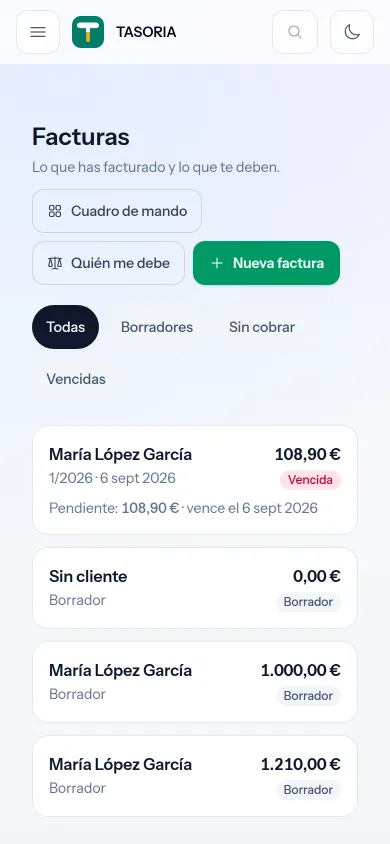
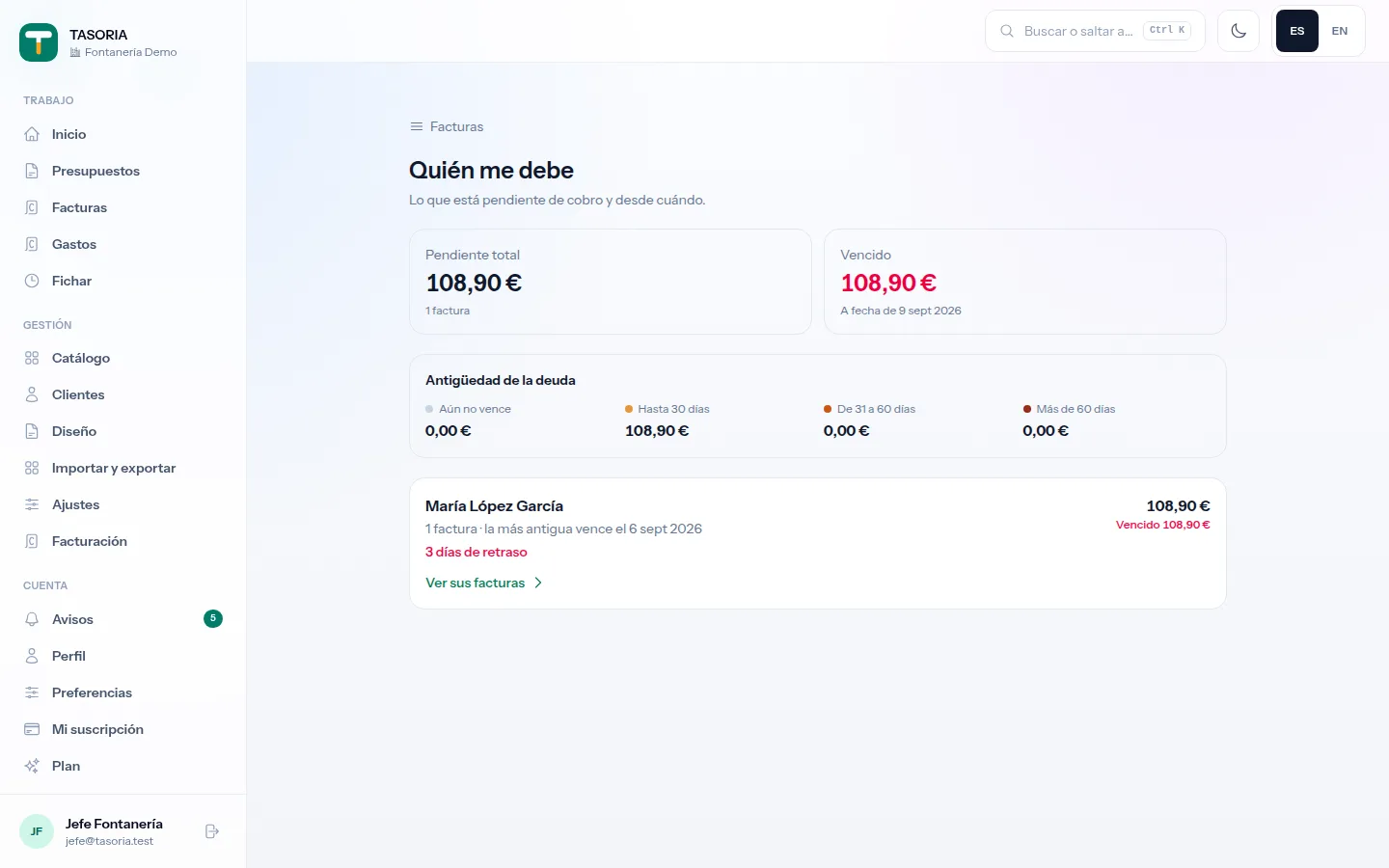
The quote your customer signed becomes an invoice in one tap: same lines, same amounts, its own number. And you see who owes you, and since when.
It tells you what you can deduct before you file it
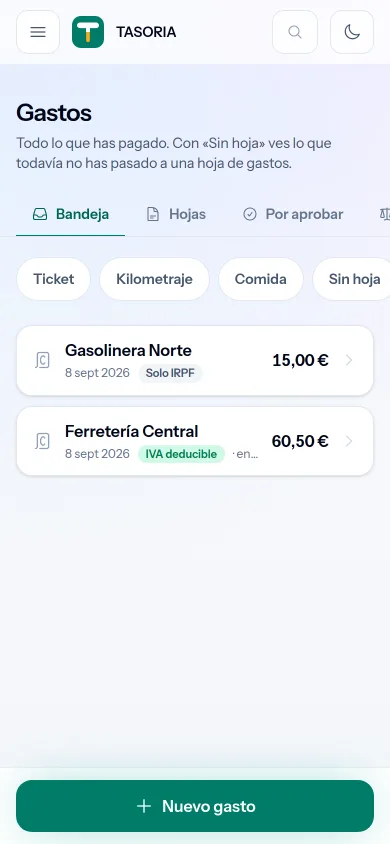
Photograph the receipt and it is filed with the expense. It warns you there and then: missing tax ID, a meal over the daily cap, mileage you cannot claim.
The register the law asks for, without paper sheets
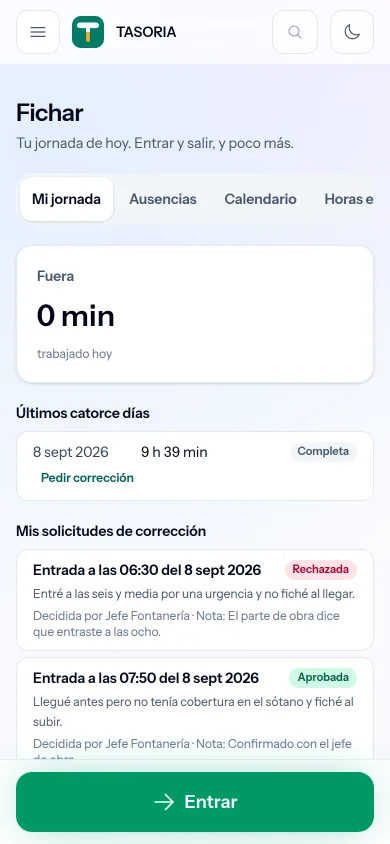
Your crew clock in from their own phones and you see who is on site right now. It has been compulsory since 2019 and must be kept four years: it keeps itself.
Actually timed, module by module
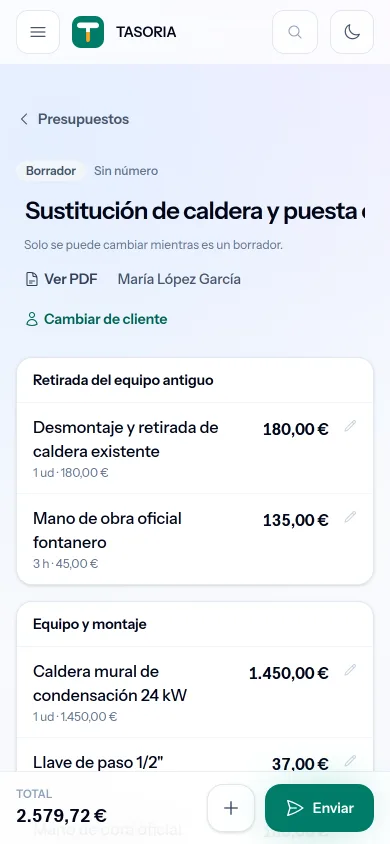
The quote goes step by step because it is the one that takes longest. No trip back to the office, nothing to type up later, and none of the "I will send it Monday" that loses half the jobs. The rest is below, each with its own clock.
Already on your list. New one? Add them on the spot with a name and a phone number.
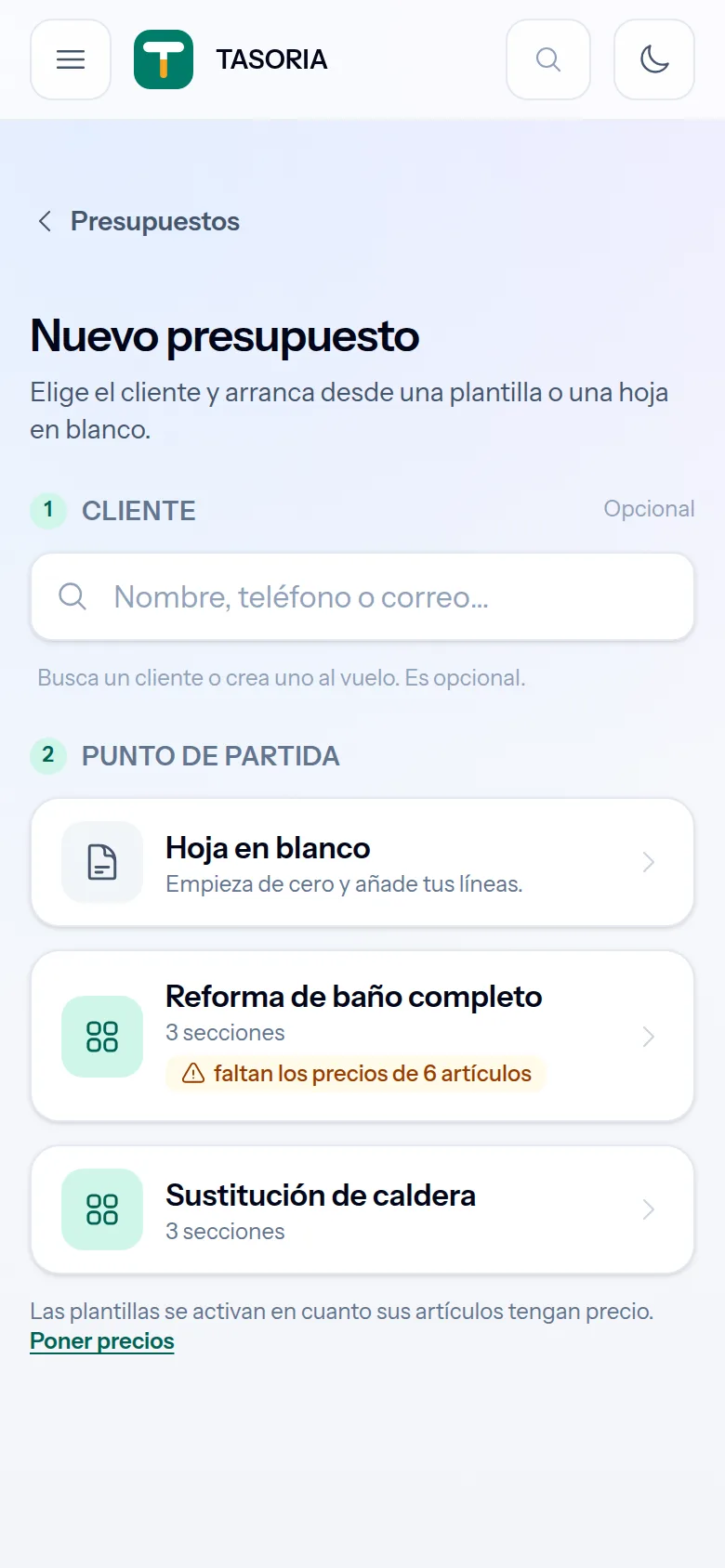
Your prices, your kits for whatever always goes together. The total adds itself as you tap.
The old boiler, the panel that has to go. They travel inside the quote, so the customer sees what they are paying for.
The customer opens it on their phone while you pack up. You are already in the van.
Times from the real flow, not from a demo video.
And the rest, timed the same way
The invoice
From the accepted quote, numbered and with the payment recorded.
The receipt
Photo, amount and saved; it tells you what is deductible before you close it.
Clocking in
One tap on arrival and one on leaving, from everyone’s own phone.
What you do today
Measurements scribbled in a notebook. The price spreadsheet you last touched in March. Three quotes pending, two invoices not yet written, the bag of receipts on the dashboard and the rota in biro on a sheet of paper. You send it Monday, and by Thursday the customer has called someone else.
Today
With TASORIA
Sunday, at home
Right there, before you leave
A spreadsheet that is never current
Your catalogue, with kits and your prices
A PDF made by hand, if you remember
WhatsApp, email or link, one tap
Ringing to ask if they looked at it
It tells you when they open it
"I will let you know"
They accept from their phone, on the record
A bag of receipts on the dashboard
Photo kept and filed on the spot
Finding out in June that one did not count
It warns you as you file it, while you can still fix it
The rota in biro on a sheet of paper
Each person clocks in from their phone, and it keeps itself
One product, not four programs
Each module switches on when you need it. What you already have in here —your customers, your prices, your history— works across all of them.
Quotes
Pick lines from your catalogue, the server works out the total, and it goes out over WhatsApp before you pack up. The client signs with a finger and you know the moment they do.
Invoices
The quote your customer signed becomes an invoice with one tap: same lines, same amounts, with its own series and number. You record the payment when it lands and see at a glance who owes you and since when. Simplified invoices, credit notes and the Factura-e public bodies ask for, all inside.
Expenses and receipts
Photograph the merchant’s receipt and the photo stays with the expense; the amount and the VAT are yours to enter. And it warns you there and then: missing tax number, a meal over the daily cap, mileage you cannot pay yourself as the owner.
Time tracking
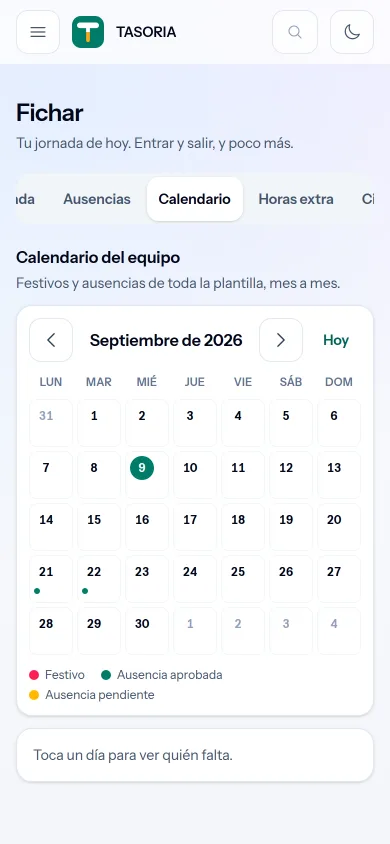
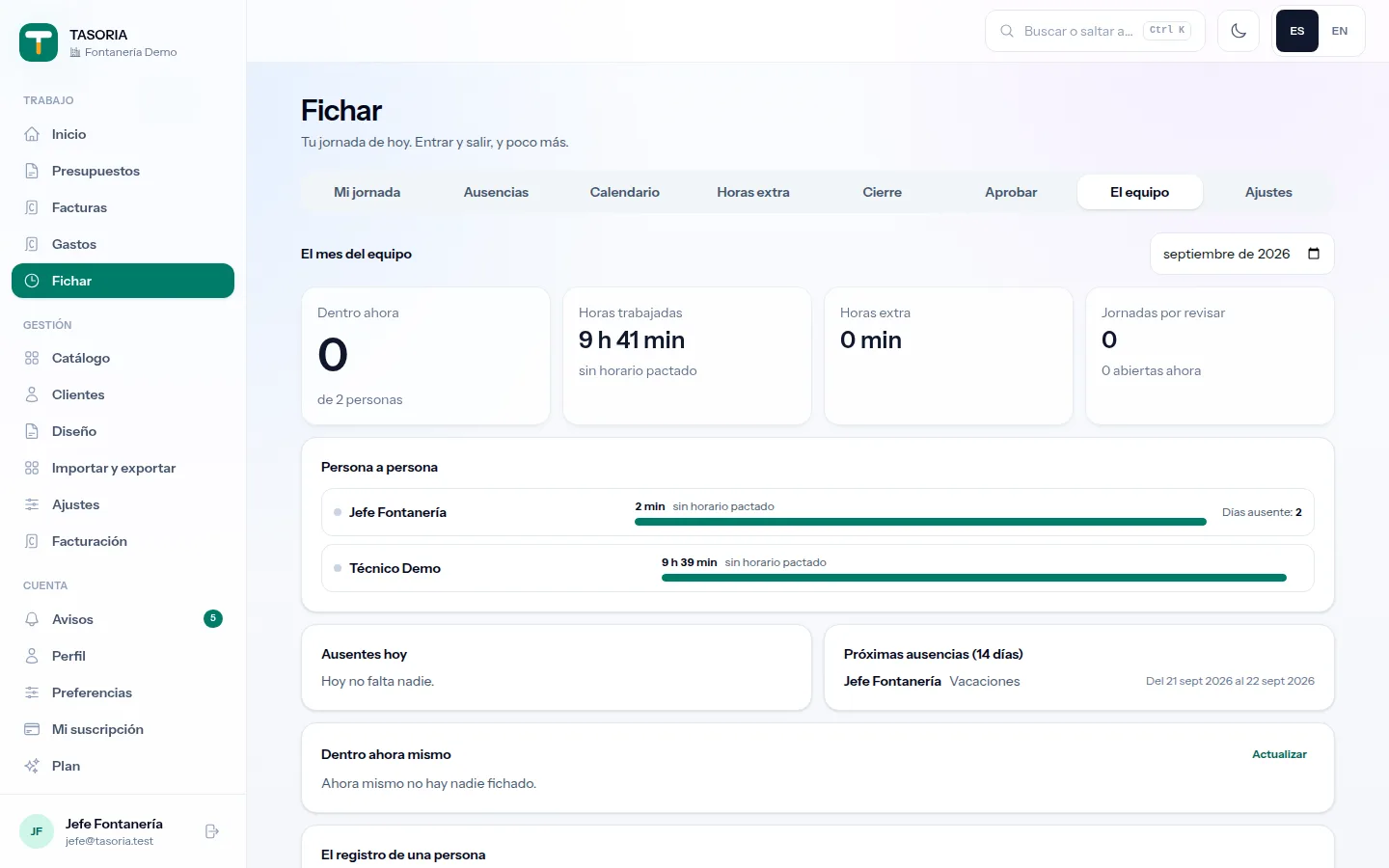
Your crew clocks in from their own phones and you see who is on site right now. Spain has required a working-time register since 2019, kept for four years: here it keeps itself.
What your customer gets
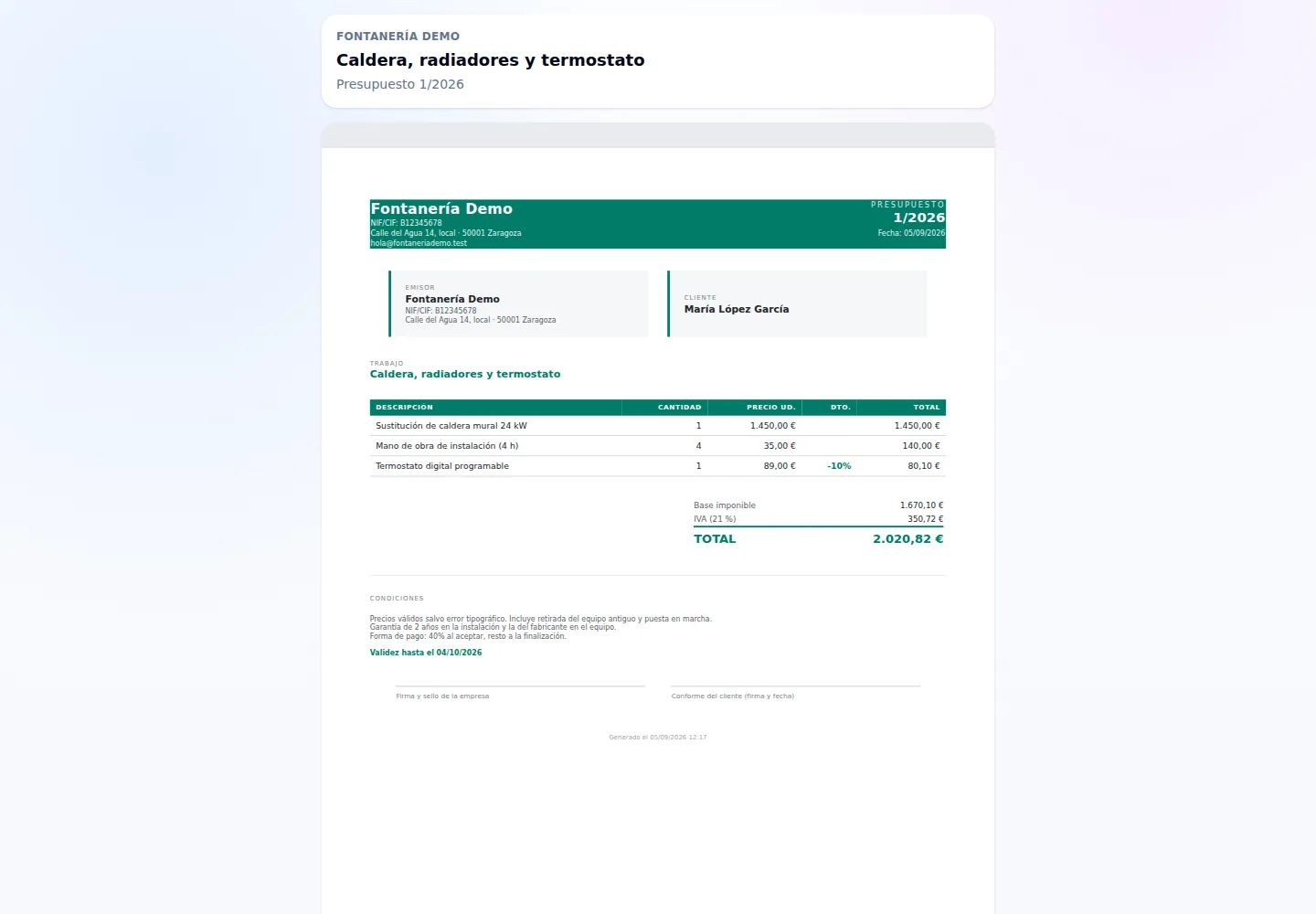
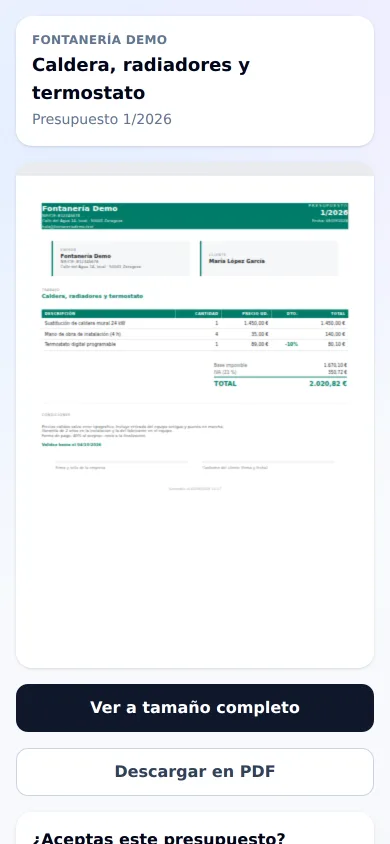
Your customer installs nothing and signs up nowhere: they open the link you send over WhatsApp, read the quote with your logo and your terms, and accept. You find out the moment they do.
Signed with a finger
On their own screen, with nothing printed or scanned. And if they would rather not sign, they can accept anyway: both ways leave a record.
Downloaded as a PDF
The very document they are looking at, to keep or to show whoever needs to see it.
And you keep the proof
What they accepted, when, and from where. What was sent is never edited: changes make a new version, and it is clear which one they signed.
Quoting, invoicing, recording what you spend and keeping the working-time register: four modules with the same weight, sharing the same customers, the same prices and the same history.
You find the customer, pick lines from your trade’s catalogue and it goes out on WhatsApp before you pack up the tools. The client signs with a finger on their phone and you know the moment they do.
Same lines, same amounts, with its own series and number. You record the payment when it lands, see who owes you and since when, and with VeriFactu on it is declared on its own when issued.
Photograph the merchant’s receipt and the photo stays with the expense; the amount and the VAT are yours to enter. And it warns you there and then: a missing tax number, a meal over the daily cap, mileage you cannot pay yourself as the owner.
Your crew clocks in from their own phones and you see who is on site right now. It has been compulsory in Spain since 2019 and must be kept for four years: here it keeps itself, and comes out as a report when it is asked for.
Your clients, your prices and your history work across all four. You start with your trade’s catalogue —families, items and kits— and put your own prices on it; already have yours in a spreadsheet? Import it.
The field screen works one-handed and with gloves on. The management side —catalogue, clients, templates, reports— waits for you on the desktop when you need it.
What it looks like
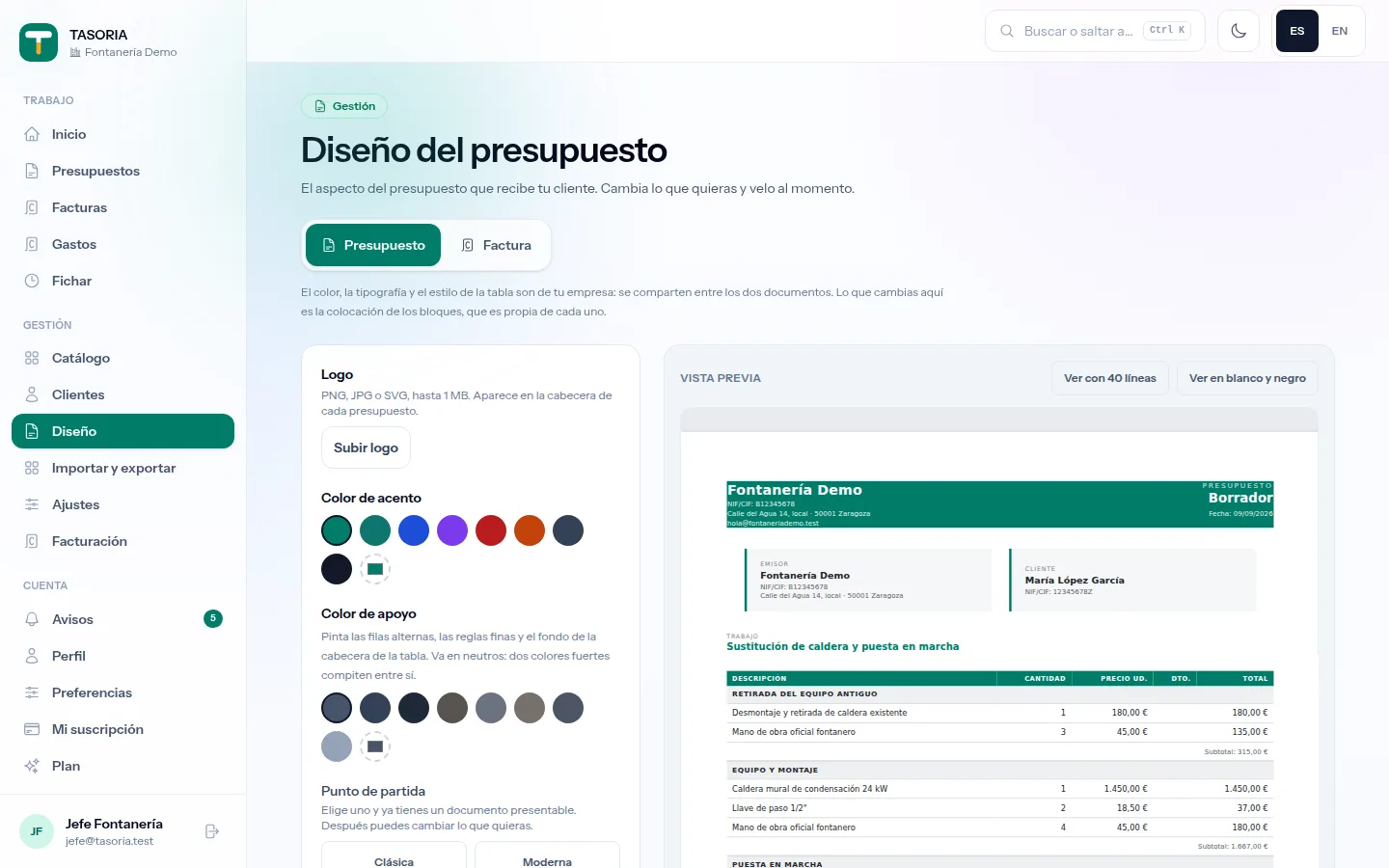
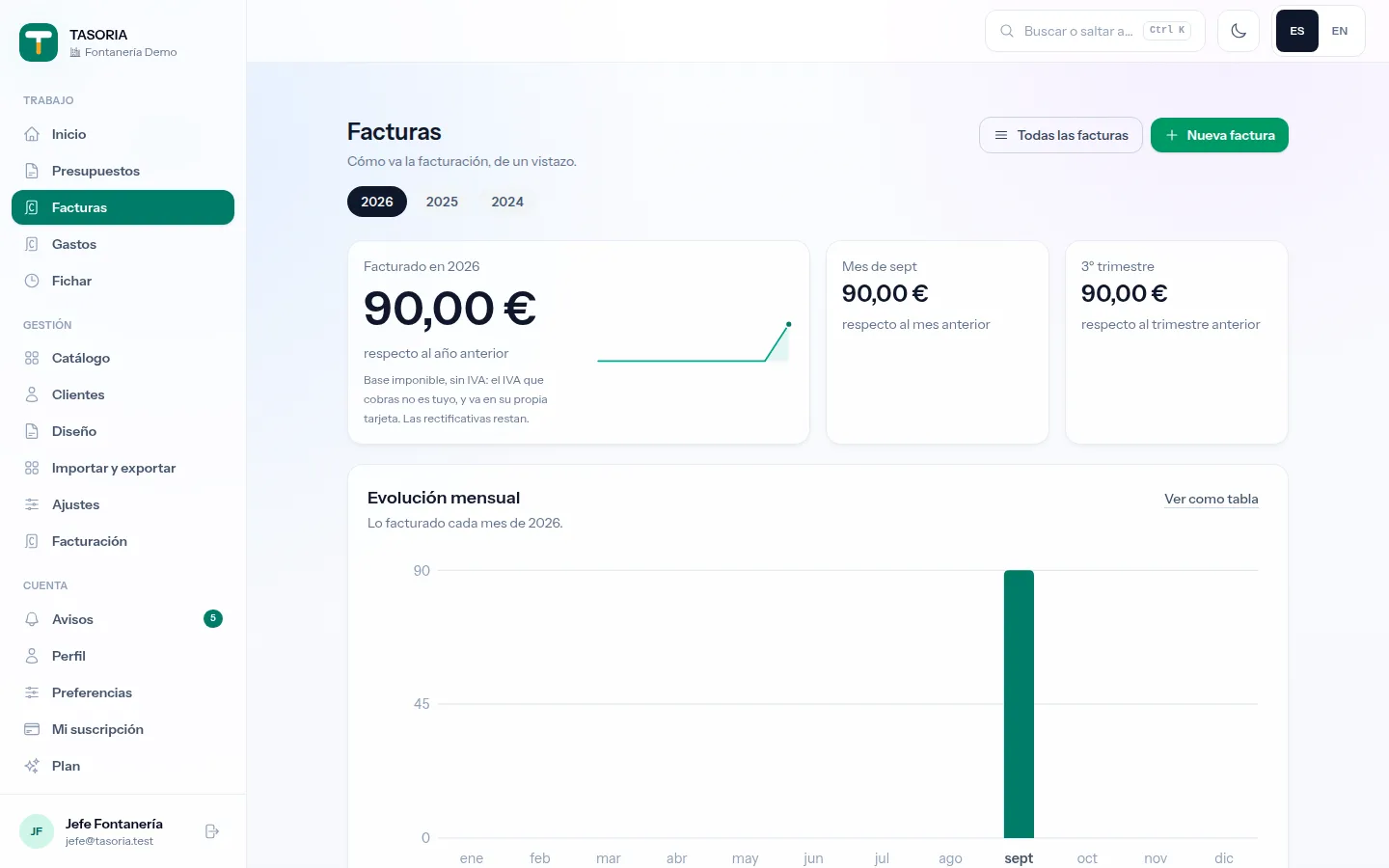
The screens below were taken inside TASORIA while it runs. On the phone you work at the customer’s home, which is where it is used; from the computer you set the document to your taste and watch how the money is doing.
What's new
TASORIA is built with the people who use it. This is the latest to land, with its date; what is on the way gets announced when it arrives, not before.
Whoever forgot to clock out asks from their phone with the reason; you approve it or send it back with a note, and the register keeps both versions, as the law requires.
Who is out today, who is on holiday next week and everyone's hours against the expected ones, on a single tab.
With an authenticator app or a code by email. Your browser is remembered for thirty days, and if your company requires it, you get time to set it up.
Change the customer from the quote itself, see the PDF before sending, pull catalogue items into an invoice and pick any colour for your document.
If the job was done on a different day from the invoice, it is declared as the operation date and printed on the document.
The person you invite creates their account from the email and lands straight in your company, with no separate sign-up.
Plans
Fourteen days free, no card and everything switched on. Then pick the plan by how many of you there are; you can change it whenever you like.
All four modules come with every plan
During the trial too. What changes between plans is how many people use them, not what you can do.
No plans published yet.
Prices exclude tax. Whatever tax applies is added on the invoice.
FAQ
Your trade’s paperwork in one place: quotes, invoices, expenses and working-time tracking. Made for self-employed tradespeople and small trade businesses: plumbing, electrical, building, HVAC, carpentry, painting, locksmithing and gardening.
No. All four are switched on in every plan, the entry one included: what changes between plans is how many people use them and, once automatic receipt reading arrives, how many photos are read a month. Today receipts are entered by hand and their photo is kept alongside. It seems absurd to us that someone could not meet their legal time-tracking duty because they are on the small plan.
Nothing is cut off. Each plan includes a number of accounts and of people clocking in. If you need one more, you add it from your panel: you see the price before confirming and it is added to your subscription from that day, prorated, with no waiting for the next invoice and no surprises. Clocking in is a legal obligation of the company, so we will never stop anyone from recording their working day because of the plan they have.
With your trade’s catalogue loaded, yes: find the client, pick the lines, check the total and send. The first one takes a bit longer, because you will be setting your prices; after that it is pick and send.
You take a photo of it and it is filed with the expense: the tax office asks for the document, not for the amount, and receipt paper fades in months. You enter the amount and the VAT, and that is where it warns you on the spot — that the receipt has no tax number and will be rejected, that the meal is over the daily cap the tax office sets, or that you cannot pay yourself that mileage if you are the owner. Closing the month produces the sheet for your accountant. What is on the way is the photo reading itself and filling the amounts in.
That is what it is built for. In Spain the working-time register has been compulsory since RD 8/2019 for the whole workforce, must be kept for four years and made available to the Labour Inspectorate and to employees. Each person clocks in from their phone, the record is tamper-evident —a correction does not erase a punch, it cites it— and the report comes out when it is asked for.
Fourteen full days, no card, with all four modules switched on. When they end nothing shuts: your data stays there to read and download, you get five more quotes on the house, and you pick a plan whenever it suits you.
Yes, from Excel, OpenDocument or CSV, with a dry run that shows you what will happen before anything changes. And you can export it all whenever you want: what goes in, comes out.
Yes. The quote your customer signed becomes an invoice with one tap — same lines, same amounts, with its own series and number — you record the payment when it lands, and you see who owes you and since when. Simplified invoices, credit notes and the Factura-e that public bodies ask for are all there. Veri*Factu, compulsory for the self-employed from July 2027, is built and switches on when it must: we would rather arrive tested than arrive on the day.
No. It runs in the browser on your phone and on your computer, with the same data on both. You can add it to your phone’s home screen and use it like any other app.
You do, always. Your clients, your prices, your quotes, your expenses and your time register can be exported at any time, and you can request their deletion under the GDPR from your own panel: everything goes, the time register included. Mind that last one, because the law requires keeping it for four years and that duty is yours, not ours: take the export before you close the account.
Each plan defines its service level. For anyone from support to enter your account you have to authorise it, and it is recorded.